


By Katie Azevedo, M.Ed.
If the only way you keep track of homework assignments is by checking your learning management system (LMS), you’re making one of the biggest school mistakes with the biggest consequences.
That may sound dramatic, but I stand by the claim.
In this post, I will reveal the true reason you’re overwhelmed with homework assignments (hint: it’s because you’re using your LMS as a homework management system), what true homework management looks like, and the one system that top students use to track and complete homework on time.
The Basics of Homework Management
Let’s start with definitions: What is an LMS? It’s your school’s learning management system. It’s the portal that you use to access and submit assignments posted by your teachers.
Examples of common LMSs: Google Classroom, Canvas, Schoology, and Bright Space — you get the idea.
Here’s the problem: You’re probably relying on your LMS to manage your homework, but it is not designed for that purpose at all. At all. And that’s why your assignments are late or missing, and you’re always stressed and overwhelmed.
If you’re already feeling defensive at this point, fully convinced that your LMS “is totally fine” and “I don’t need anything else,” I beg you to hear me out.
I have worked with thousands of students over 20 years. One of the first systems I set up with each student is a homework management system. Usually, this is a notebook, planner, or some kind of paper agenda. And in nearly every case, these students energetically resist my advice, insisting the same thing you might be thinking: “My LMS is totally fine” or “I don’t need anything else.”
But hear me loud and clear: Your LMS is designed for TEACHER control, not STUDENT control.
In other words, your LMS cannot be an assignment management system because you can’t manage it.
What do I mean by that? You have absolutely no control over anything in an LMS. You can’t add your own tasks, edit what’s in there, or manage the status of your work. And like, that’s the entire point of homework management.
Back to my students who enthusiastically resist using anything other than their LMS: After two weeks of using their newly created assignment management system, most students do a total pivot. Their grades are better. They’re less stressed. They complete things on time. And they get it. They finally get it: An LMS is the worst assignment management system ever.
Why Your LMS Is the Worst at Managing Homework Assignments
Let’s break this down a little more. The list below makes clear what your LMS can and can’t do. Understanding the differences is important.
What Your LMS IS (what it CAN do)
- a place for teachers to post class materials
- a place for teachers to post assignments
- a place for you to access URLs and PDFs to do your work
- a place for you to submit assignments
- a place that tells you when things are due
What Your LMS Is NOT (what it CAN’T do)
- a place for you to manage the status of assignments
- a place for you to add your own tasks that need to get done
- a place for you to manage the status of your own tasks
- a place for you to add “study sessions” as homework assignments (because they are)
- a place that tells you when you will work on each assignment (not just when it’s due)
What It Really Means to “Manage” Assignments
Sometimes we throw around words like “organize” and “manage” without really understanding what they mean. Specifically, when it comes to managing assignments, many students don’t truly understand what “manage” means.
Managing assignments means so much more than simply doing them. It means the following:
- Having total clarity of all upcoming assignments
- Fully understanding the scope, size and instructions for each assignment
- Knowing deadlines and due dates for all assignments
- Knowing when tests are
- Planning multiple study sessions over several days (or weeks) leading up to each test
- Tracking your progress on assignments (done, in progress, not done, what step you’re on, etc.)
- Breaking down long-term assignments into smaller steps, and knowing which step you’ll complete on which day
- Keeping track of late assignments and creating a plan for completing them
Real-Life Examples of How an LMS Fails as an Assignment Management System
Let’s say you have a history test on Friday. You know you need 3 study sessions before the test. Where do you put those in your LMS? You can’t.
Or let’s say you have an essay due in seven days, and you plan to work on the essay in steps (research, outline, draft, final edits). Where do you put each of those steps in your LMS? You can’t.
Let’s say you’re behind on the reading for history class, and you need to catch up on three chapters before the discussion. Where do you track your progress on each chapter in your LMS? You can’t.
One more for fun: Let’s say you’re working on a group project and you need to complete your part before the group meets on Thursday. Where do you put your individual tasks in your LMS? You can’t.
So what DO you need? What do you do instead?
How to Manage Homework Assignments the Right Way
Now you understand that your LMS wasn’t designed for homework management. So what do you need instead?
You need two things: Your LMS (for accessing and submitting work) + YOUR system (for managing work).
In a nutshell, here’s how true task management works:
- You extract tasks and assignments from your LMS (and other sources like email)
- You add those assignments, plus study sessions, smaller steps of larger assignments, and other to-do items to your own system like an agenda or assignment notebook
At some point, most students can figure out they need a planner or agenda instead of their LMS. But what they can’t figure out is HOW to actually manage everything once it’s written down.
They wonder: When do I work on what? How do I know what to prioritize? What if something takes longer than expected? What do I do when I fall behind?
Sadly, most students never figure this out. They just keep white-knuckling their way through school, always stressed, always behind, and wondering why “everyone else gets it.”
This is exactly why I created the Assignment Management Power System (AMPS).
AMPS is a short, step-by-step program that gives you one thing: a simple, reliable way to stay on top of all your assignments so you can plan, track and finish your work on time, without procrastinating again.
It’s not a planner. It’s the system that makes ANY planner work.
Here’s what makes the Assignment Management Power System different from anything else you’ve tried:
- It’s obscenely simple. Write it down, use 3 symbols, check it daily. That’s it.
- It works WITH your existing tools. You don’t abandon your LMS or calendar; you just add a layer.
- It’s flexible, so it works for color-coding perfectionists AND last-minute crammers. Everyone can make it their own.
- It takes two minutes per day.
- It’s designed by someone who GETS IT. I have a Master’s in Special Education and have coached thousands of students on this exact system for 20 years.
Inside the Assignment Management Power System, you’ll learn:
- The science behind why writing assignments down matters (your brain wasn’t designed to store homework information)
- How to use three capture systems together: your LMS, your assignment notebook, and your calendar
- The seven rules for using an assignment notebook effectively, plus the simple symbols that make it work
- Common mistakes students make and how to avoid giving up halfway through
- Seven practical strategies for making the habit stick
- A catch-up plan for handling late assignments while managing current ones
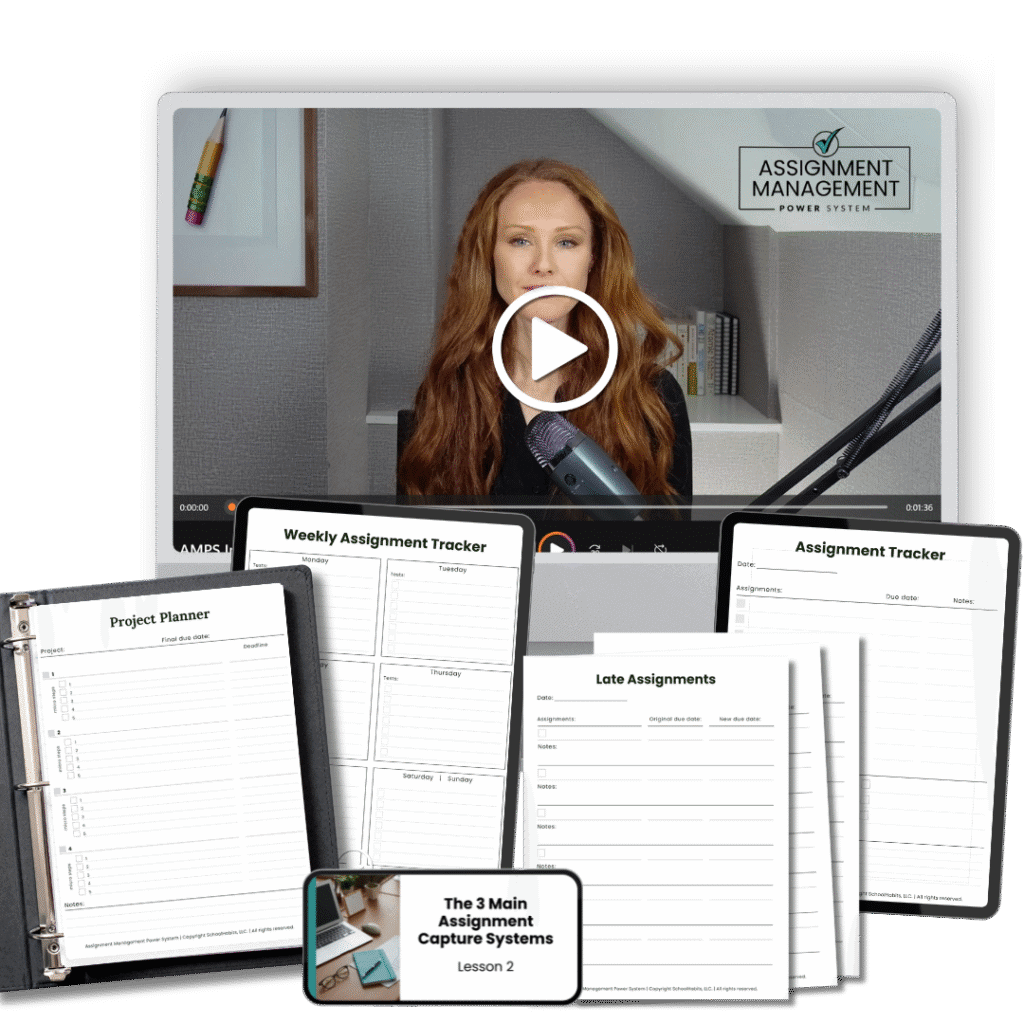
Here’s my promise: Use AMPS for a week. Set up your Three-Capture System. Watch the videos. Use the templates. Actually TRY it. And, if you don’t feel more organized, less stressed, and more in control of your workload, just email me. I’ll refund every penny. No questions asked.
Your LMS is your teacher’s tool. You need YOUR tool. The notebook is step one. AMPS teaches you what to actually DO with everything you’ve written down.
Oh, and it’s only $47 for lifetime access. Yep – because I believe so strongly that this one skill can change everything, and I want everyone to be able to have access to it.